FrameSlicer · Manual
Rebuild storyboards in After Effects, minus the busywork
FrameSlicer takes your designed frames — Photoshop layer comps or Illustrator artboards — plus a storyboard, and automates the mechanical hour of rebuilding them in After Effects. Export from PS/AI, and the storyboard comp builds itself in AE: references imported, frames paced on the timeline, ISI scrolling — and a PSD decomposes into editable, sequenced layers — so your time goes to animating.
01Install
A one-time setup. It lives in three apps at once.
- Get the file —
FrameSlicer.zxp. - Install it with a ZXP installer. If you don’t have one, the free aescripts ZXP Installer works — open it and drag the
.zxpin. It’s self-signed, so a “self-signed certificate” note is normal. - Restart After Effects, Photoshop, and Illustrator.
- Open the panel in any of them: Window ▸ Extensions ▸ FrameSlicer.
02The workflow
From a designed PSD/AI file to an animation-ready After Effects comp:
1 · Export from Photoshop or Illustrator
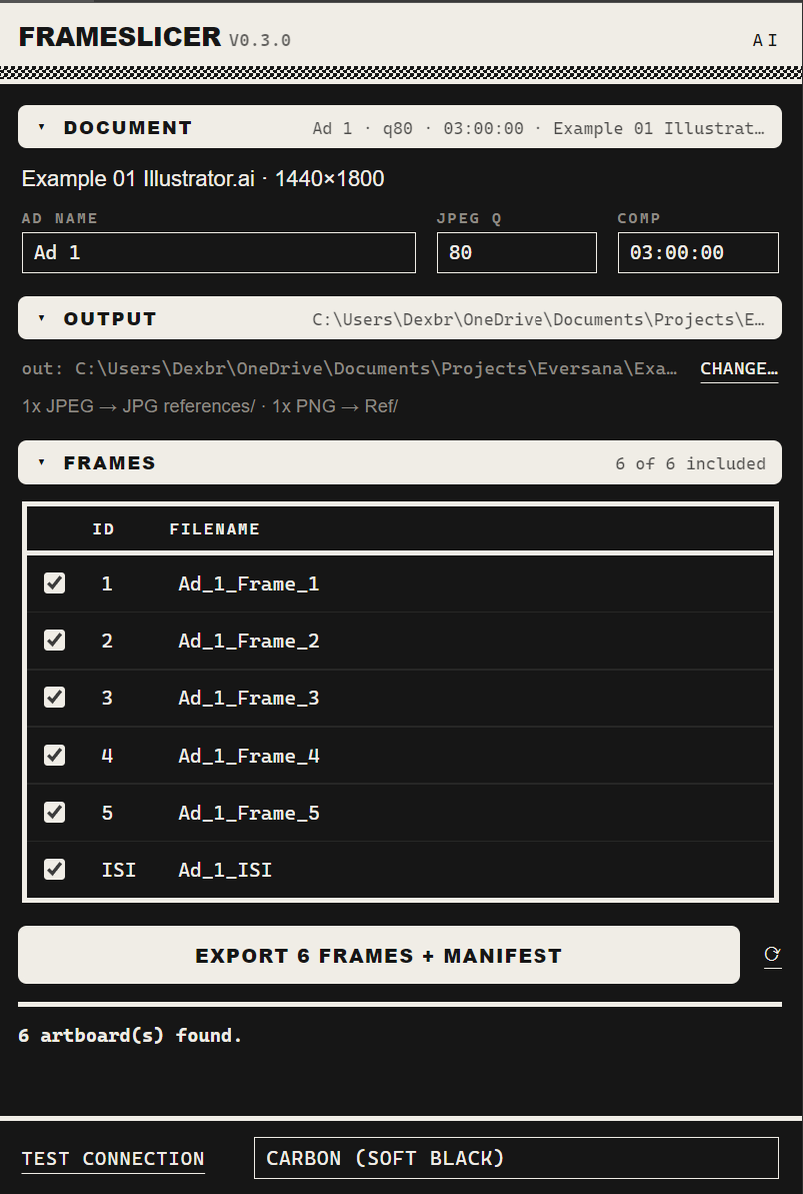
Set the ad name, JPEG quality, and comp length, tick the frames (and the ISI) you want, and hit Export frames + manifest. FrameSlicer writes JPEG references (plus PNGs) and a small manifest next to your design file — the data spine the AE side reads.
It reads every layer comp (Photoshop) or artboard (Illustrator) as a frame, with clean, predictable names.
2 · The comp builds in After Effects
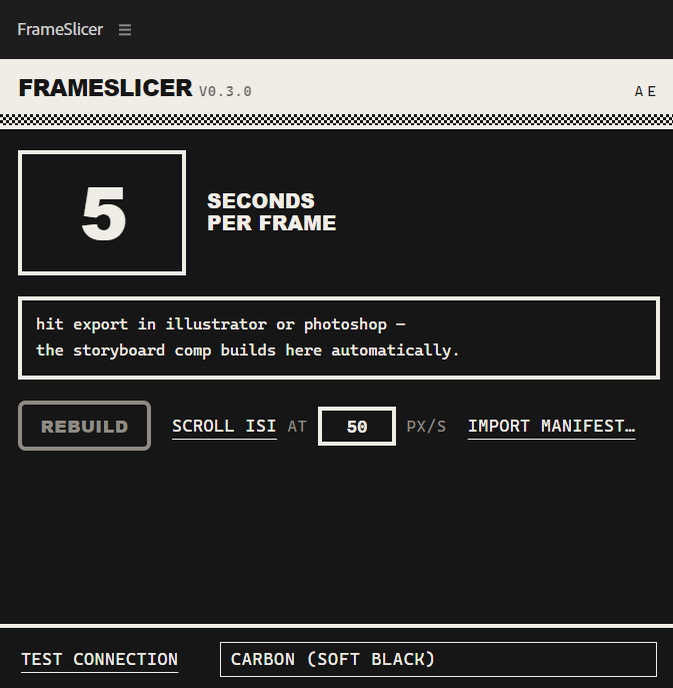
Open the FrameSlicer panel in After Effects. It picks up your export and builds the storyboard comp automatically — a tidy project tree, references imported as guide layers, and every frame laid out on the timeline in storyboard order.
3 · Decompose the PSD into editable layers
One click imports your layered Photoshop file as real, editable After Effects layers — text stays text — with each layer trimmed to exactly the storyboard frames it appears in, laid out as blocks in board order. You animate from there instead of rebuilding from stills.
Photoshop files only for now. Illustrator artboards export and scaffold like everything else, but AI text imports as vector artwork, so a one-click editable decompose isn’t offered there.
4 · Set the pace
Dial in seconds per frame — one number sets how long each storyboard frame sits on the timeline, markers included. Change it and rebuild to re-pace instantly.
5 · Rebuild any time
Hit Rebuild whenever the design changes. It’s idempotent — FrameSlicer reuses the comp and refreshes the guides without clobbering the animation you’ve already done.
6 · Scroll the ISI
For a tall ISI or legal end-card, set Scroll ISI at N px/s and FrameSlicer gives it a constant, even vertical scroll — top to bottom — in one step. Import manifest… is there as a manual fallback if you ever need to load a job by hand.
03Handy extras
Small things that keep the rebuild clean:
Seconds-per-frame pacing
Set one number and every storyboard frame lands on the timeline at exactly that length, markers included.
Editable, sequenced layers
Frames come in trimmed to when they’re on screen and sequenced to the storyboard — ready to animate, not flatten.
Idempotent rebuild
Re-export and rebuild freely; FrameSlicer reuses what’s there and leaves your hand-built content alone.
Guide layers
Every reference comes in as a guide layer matched to the boards, so you animate against the design and it never renders.
Keeps itself current
When a new version ships, a banner in the panel offers What’s new and Get update; click the version in the title bar for the built-in changelog. A feedback button in the status bar reaches the developer, tagged with your version.
FrameSlicer · a storyboard-to-After-Effects rebuild assistant for the Adobe suite. It automates the mechanical hour — exporting, tree-building, pacing — so the creative time stays yours.